POST BY
Shopify Inventory Management: Complete Guide to Stock Control Success
January 14, 2026
30 Min Read
Get Summary On:




Picture this: It’s holiday morning, orders are flooding in, and you’re celebrating your biggest sales day ever. Then reality hits. Your bestselling product shows 50 units in Shopify, but your warehouse only has 12. Customers receive cancellation emails. Refund requests pile up. One-star reviews start appearing.
This nightmare scenario plays out in thousands of Shopify stores every year. Poor Shopify inventory management costs retailers an estimated $1.75 trillion annually through overstocks, stockouts, and preventable returns. For the 4.8 million live Shopify stores competing for customers, mastering inventory tracking with Shopify tools isn’t optional, it’s survival.
The difference between thriving stores and struggling ones often comes down to one thing: how well they control their stock. Get it right, and you’ll have products available when customers want them, capital flowing instead of sitting in warehouses, and data to make smart purchasing decisions. Get it wrong, and you’ll face angry customers, wasted money, and constant firefighting.
This comprehensive guide covers everything you need to know about stock management for your Shopify store. From understanding built-in features to implementing advanced forecasting strategies, you’ll learn actionable techniques that successful merchants use to maintain perfect inventory balance.
Before diving into inventory strategies, it is essential to understand your store metrics. Explore our guide on Must-Have Shopify Metrics Every Store Owner Should Track for the complete analytics foundation.
What is Shopify Inventory Management?
Shopify inventory management refers to the systematic process of tracking, organizing, and optimizing your product stock levels within the Shopify ecosystem. It encompasses everything from receiving new inventory and fulfilling orders to tracking quantities across multiple locations and forecasting future demand.
At its core, effective inventory management ensures you have the right products, in the right quantities, at the right time. This means maintaining enough stock to meet customer demand without tying up excessive capital in products sitting on warehouse shelves.
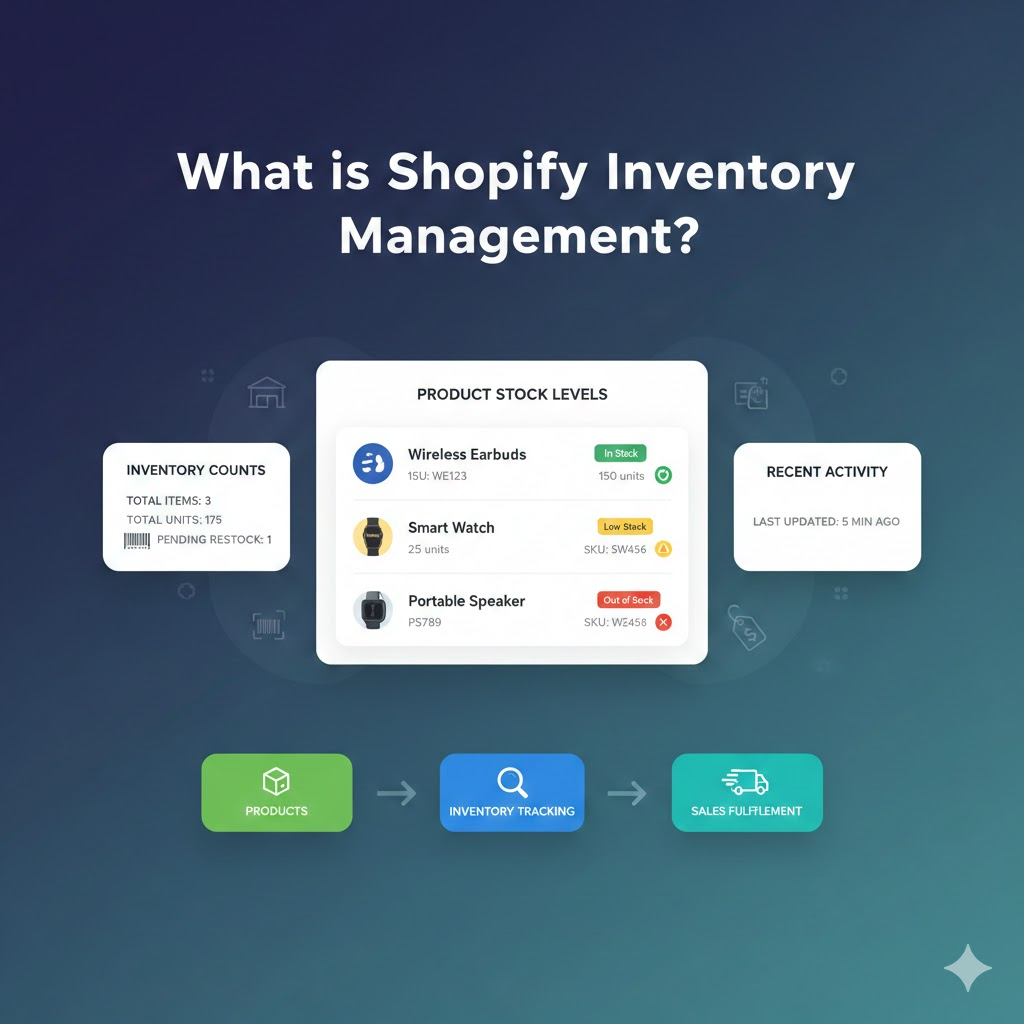
The specific activities involved in inventory tracking Shopify include monitoring current stock levels across all sales channels, setting reorder points to trigger restocking before products run out, analyzing sales velocity to understand which products move quickly versus slowly, forecasting future demand based on historical data and market trends, and coordinating with suppliers to ensure timely replenishment.
For Shopify store owners, inventory management happens through a combination of native Shopify features and third-party applications. Shopify’s built-in tools handle basic tracking, including automatic inventory deduction when orders are placed, manual adjustments, and multi-location support. However, growing stores often need additional capabilities like advanced forecasting, multi-channel synchronization, and detailed analytics.
The importance of real-time tracking cannot be overstated. In today’s fast-paced e-commerce environment, inventory levels can change by the minute. A product that shows 100 units available at 9 AM might be down to 20 by noon if a marketing campaign performs well. Without real-time visibility, you risk overselling products you don’t have or missing sales opportunities because stock appears unavailable when it’s actually in the warehouse.
Modern stock management goes beyond simple counting. It’s about understanding the story your inventory tells which products drive profit, which tie up cash, and which patterns predict future demand. For comprehensive analytics on your inventory performance, explore the Top 10 Shopify Analytics Apps that can transform raw data into actionable insights.

Why Inventory Management Matters for Shopify Stores
The connection between Shopify inventory management and store profitability runs deeper than most merchants realize. Poor stock control creates a cascade of problems affecting every aspect of your business, from customer relationships to your bottom line.
Impact on Customer Experience
When customers encounter out-of-stock products, the consequences extend far beyond a single lost sale. Research shows approximately 30% of customers who face stockouts will purchase from a competitor instead. That’s not just revenue walking out the door, it’s potentially a lifetime customer relationship lost to a rival.
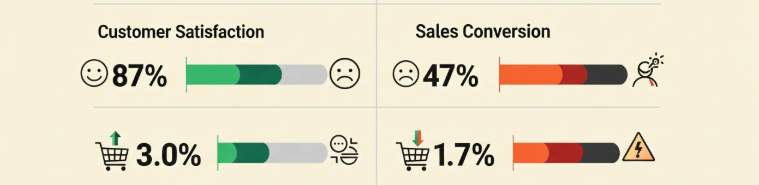
Even customers who choose to wait for restocking often develop reduced brand loyalty. The frustration of wanting something and not being able to get it creates negative associations with your store. In the age of instant gratification, customers expect products to be available when they want them. Meeting this expectation requires precise inventory tracking Shopify implementation.
Delivery delays compound the problem. When inventory records don’t match reality, orders get accepted that can’t be fulfilled on time. Customers receive shipping notifications followed by apologetic delay emails. Each incident chips away at the trust you’ve worked hard to build.
Financial Impact
Overstock creates equally serious problems, though they’re often less visible than stockouts. Excess inventory ties up working capital that could fund marketing campaigns, new product development, or other growth initiatives. Every dollar sitting in unsold products is a dollar not working for your business.
Storage and carrying costs accumulate daily. Most e-commerce businesses face carrying costs of 20-30% of inventory value annually. If you hold $100,000 in average inventory, that represents $20,000-$30,000 in annual costs for storage, insurance, depreciation, and the opportunity cost of tied-up capital. Efficient Shopify inventory management directly reduces these expenses.
Dead stock represents the worst-case scenario products that won’t sell at any reasonable price. Whether due to changing trends, seasonal obsolescence, or simple over-ordering, dead stock means money that will never be recovered. The only options are heavy discounting, donation, or disposal, none of which help your profit margins.
Operational Efficiency
Staff spending hours manually reconciling inventory counts or hunting for misplaced products represents wasted labor costs and reduced productivity. Every minute spent on inventory firefighting is a minute not spent on activities that grow your business.
Poor inventory management also strains supplier relationships. Last-minute rush orders, frequent order changes, and unpredictable purchasing patterns make you a difficult customer. Suppliers may respond with less favorable terms, longer lead times, or reduced priority during high-demand periods.
Business Scalability
Perhaps most importantly, solid stock management forms the foundation for business growth. Stores with chaotic inventory systems hit a ceiling they simply can’t scale beyond a certain point without everything falling apart. Conversely, stores with robust inventory processes can confidently expand to new channels, add product lines, and handle seasonal surges without breaking down.
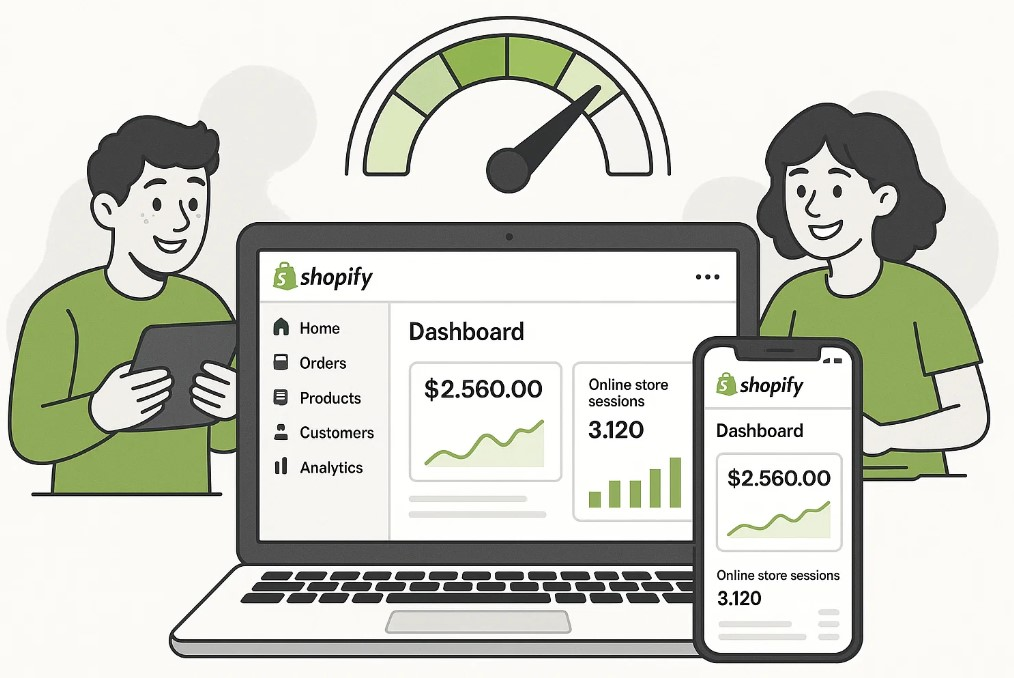
Common Inventory Challenges Shopify Sellers Face
Even experienced merchants encounter inventory challenges. Understanding these common problems and their solutions helps you respond quickly when issues arise and build systems to prevent them.
Challenge 1- Stockouts and Overselling
Stockouts occur when inventory reaches zero before replenishment arrives. For Shopify sellers, overselling, accepting orders for products you don’t actually have, creates an even worse situation. Customers expect their orders to be fulfilled, and cancellations due to inventory errors damage trust irreparably.
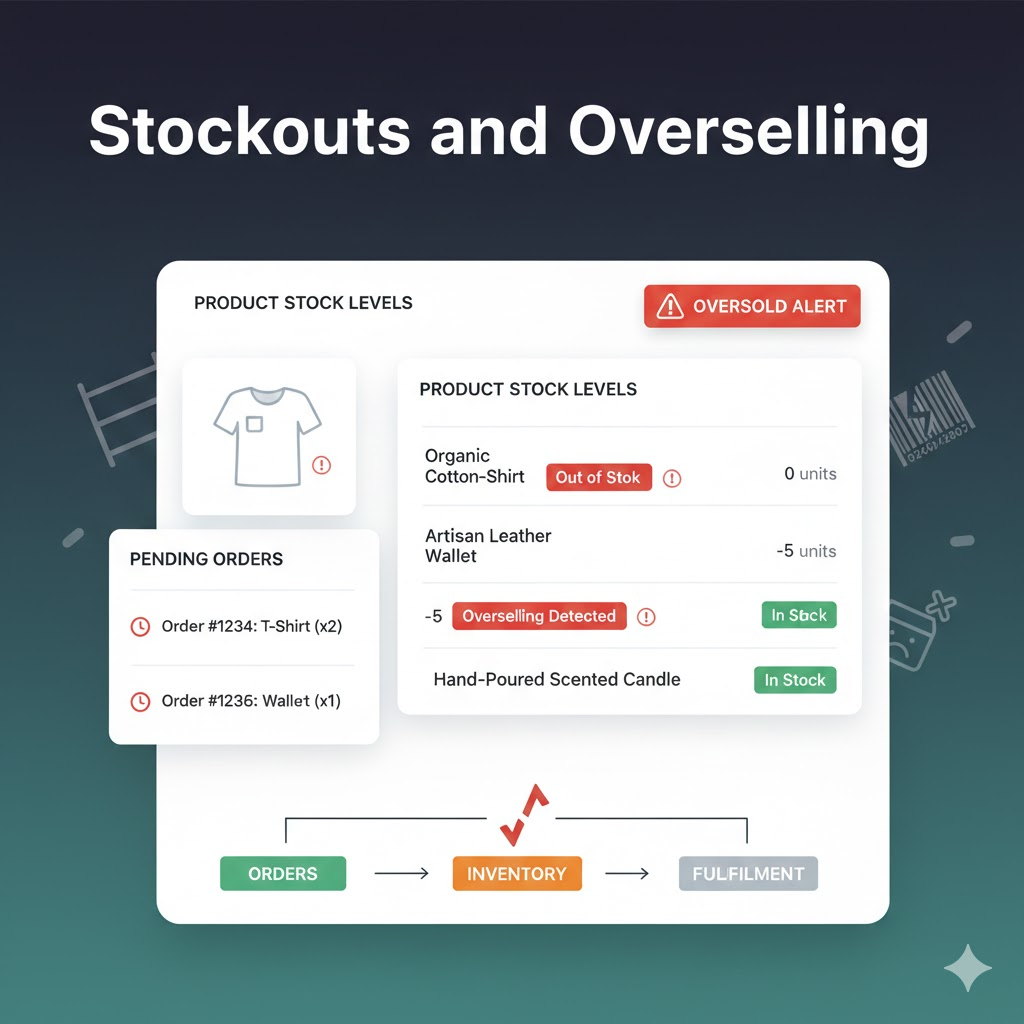
Common causes of stockouts include:
- Unexpected demand spikes from viral social media posts or successful ad campaigns
- Supplier delays that extend beyond expected lead times
- Forecasting errors that underestimate product popularity
- Inadequate safety stock buffers
- Poor communication between sales and purchasing teams
Prevention strategies:
- Maintain adequate safety stock based on demand variability.
- Monitor supplier lead times and adjust reorder points accordingly.
- Set up automated low-stock alerts before inventory runs critically low.
- Diversify suppliers to reduce dependency on a single source.
The consequences of stockouts ripple outward: lost immediate sales, customers defecting to competitors, negative reviews, and long-term brand reputation damage. Prevention through proactive monitoring always costs less than recovery.
Challenge 2- Overstocking Problems
While stockouts create immediate customer-facing problems, overstocking silently drains your business. Capital tied up in excess inventory can’t be used for marketing, product development, or other growth activities. Storage costs accumulate whether products sell or not.
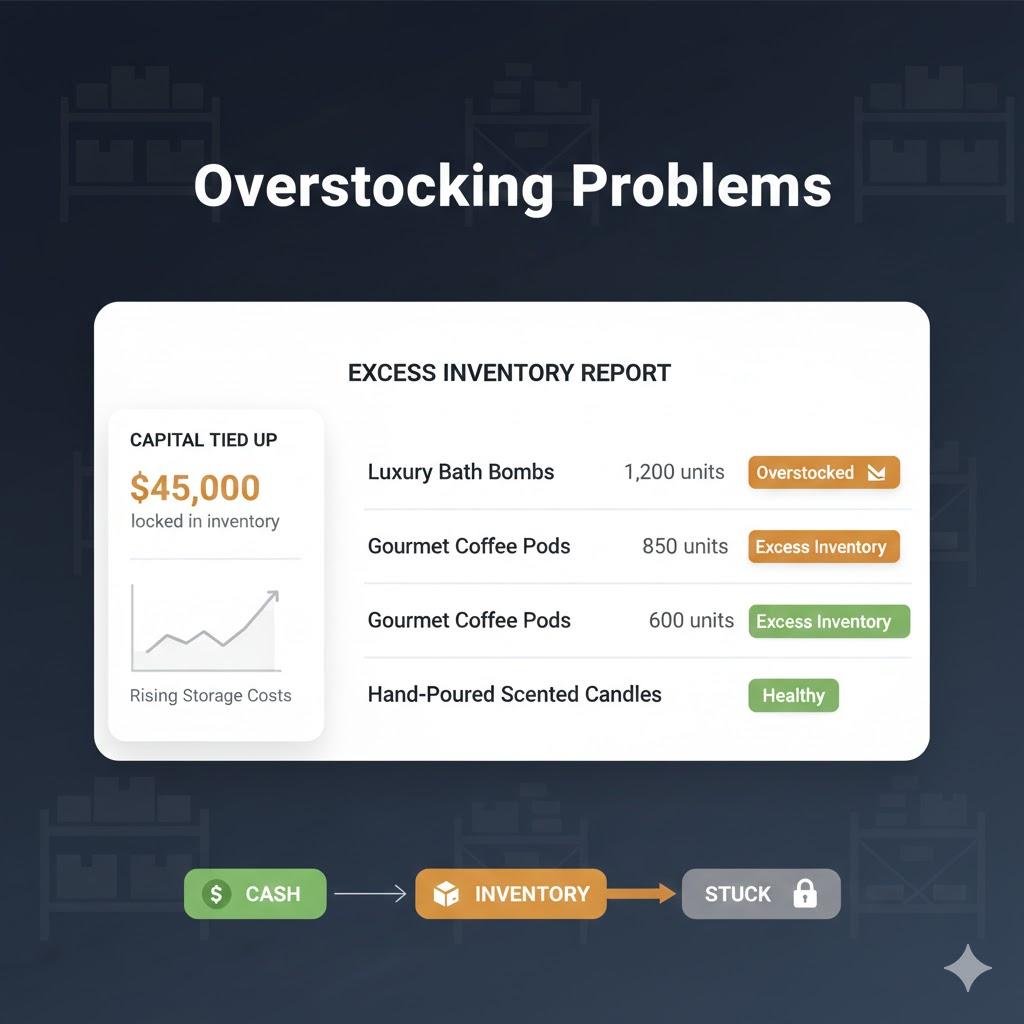
Risks of overstocking include:
- Products becoming obsolete as trends change (especially in fashion and electronics)
- Physical deterioration affecting product quality over time
- Increased warehousing and insurance costs
- Cash flow constraints limiting business flexibility
- Eventual markdown losses when clearing excess stock
Common causes of overstocking:
- Overly optimistic demand forecasts
- Bulk purchasing for volume discounts without considering carrying costs
- Poor visibility into current inventory levels
- Failure to account for seasonal demand fluctuations
- Emotional attachment to products that aren’t selling
The risks compound over time. A product that seems like minor overstock today becomes dead stock tomorrow. Regular inventory reviews and realistic demand forecasting help prevent capital from getting trapped in unsold merchandise.
Challenge 3- Dead Stock
Dead stock represents inventory that hasn’t sold for an extended period and likely won’t sell at regular prices. It’s the end stage of overstocking—products that have sat so long they’ve become essentially worthless at full price.
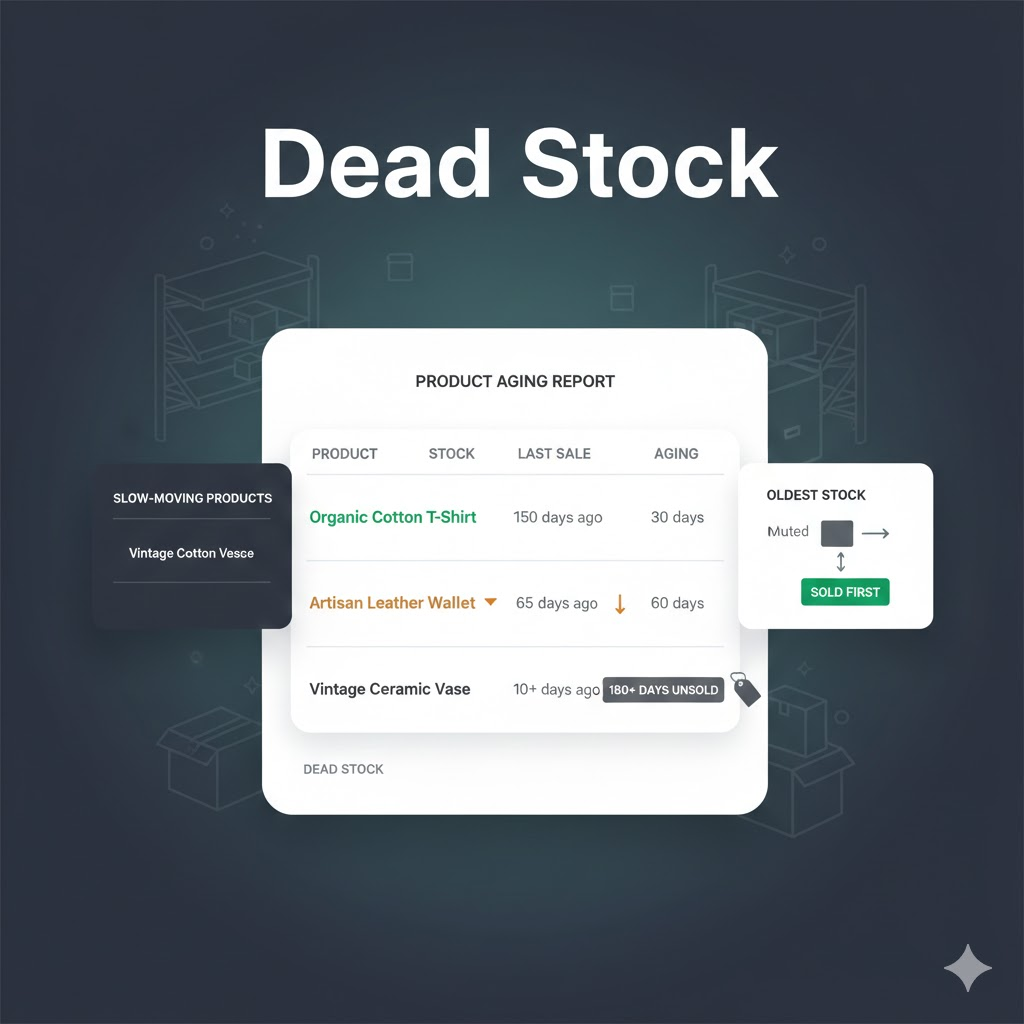
Warning signs of potential dead stock:
- Products with no sales in 90+ days
- Items with declining search and page view traffic
- Seasonal products past their selling window
- Products with multiple negative reviews affecting sales
- Items where competitors have significantly lower prices
Strategies to clear dead stock:
- Bundle slow-moving items with popular products
- Run targeted clearance promotions with progressive discounts
- Donate inventory for tax benefits
- Liquidate through secondary channels like discount marketplaces
- Return to suppliers if agreements permit
Prevention is far easier than cure. Use FIFO (First-In, First-Out) inventory methods to ensure older stock sells first. Implement regular inventory aging reports to identify slow-moving products before they become dead stock. The longer dead stock sits, the less value you’ll recover.
Challenge 4- Multi-Channel Inventory Complexity
Many Shopify sellers also sell on Amazon, eBay, Etsy, Walmart, and other marketplaces. Managing inventory across multiple channels creates significant complexity. Without proper synchronization, you risk showing products as available on one channel while they’re actually sold out.
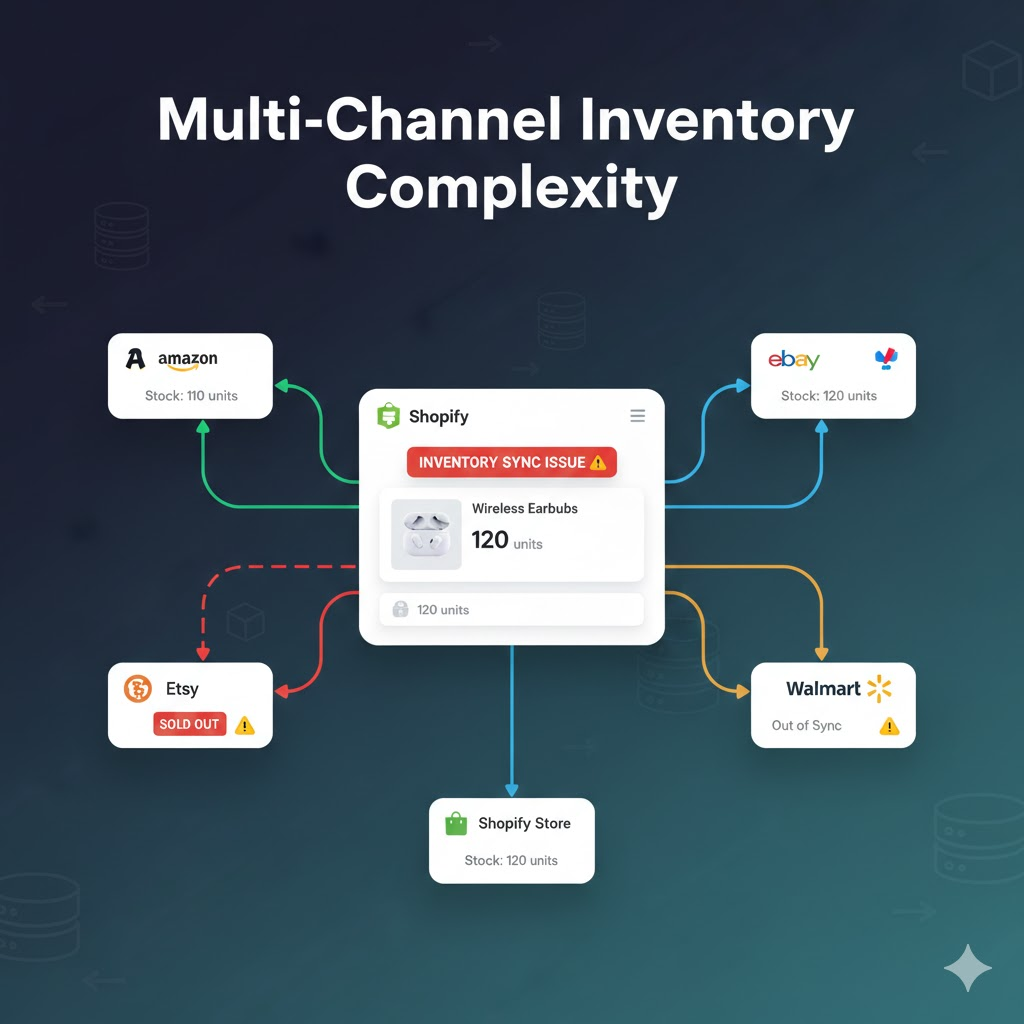
Key multi-channel challenges:
- Real-time sync delays causing overselling during high-volume periods
- Different platforms having varying update frequencies and data formats
- Order edits, cancellations, and refunds requiring cross-channel inventory restoration
- Partial fulfillments and split shipments complicating tracking
- Managing separate listings and inventory allocations per channel
Best practices for multi-channel management:
- Use centralized inventory management software
- Set appropriate buffer stock for each channel
- Implement real-time synchronization (not hourly batches)
- Create automated alerts for sync failures
- Conduct regular cross-channel reconciliation
A sale on Amazon must immediately reflect in Shopify inventory and vice versa. During high-volume periods like Black Friday, even brief sync delays can cause overselling. For strategies on handling peak periods, explore our Shopify Black Friday & Cyber Monday Reports guide.
Challenge 5- Inventory Accuracy Issues
Discrepancies between recorded inventory and actual physical stock create cascading problems. Orders get accepted that can’t be fulfilled. Reordering happens too late or too early. Financial records become unreliable, affecting everything from tax reporting to business valuation.
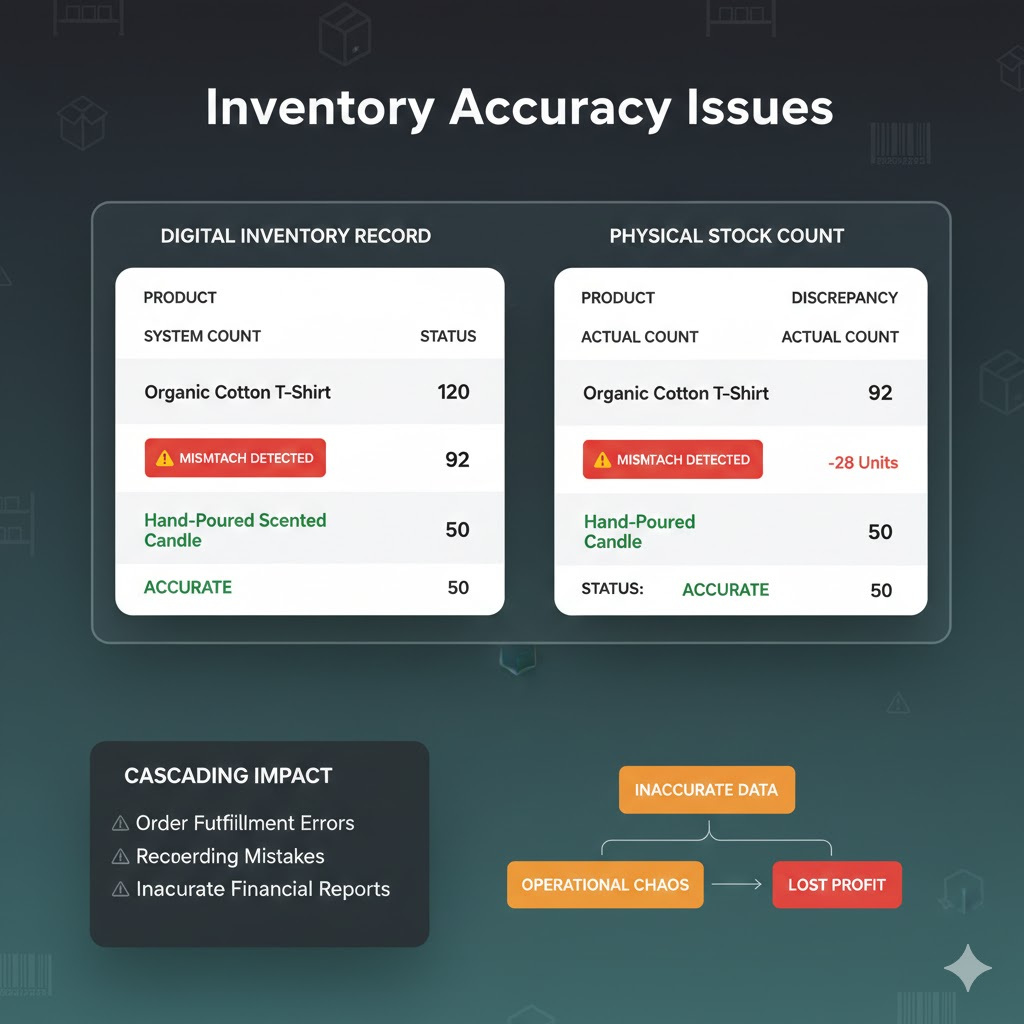
Common sources of inventory inaccuracy:
- Miscounts during receiving shipments
- Picking errors during order fulfillment
- Unrecorded damages, theft, or returns
- Data entry mistakes in manual tracking
- System glitches during updates or integrations
How to improve inventory accuracy:
- Implement regular cycle counts instead of annual full counts
- Use barcode or RFID scanning to reduce manual errors
- Establish clear receiving and put-away procedures
- Train staff on proper inventory handling protocols
- Investigate discrepancies immediately to find root causes
Target inventory accuracy of 97% or higher. Anything below indicates systematic problems requiring process improvements. Even small error rates compound over time across thousands of SKUs, creating significant business impact.
Challenge 6- Demand Forecasting Difficulties
Predicting future demand remains one of the biggest challenges in Shopify inventory management. Seasonal fluctuations, changing consumer preferences, competitive dynamics, and external factors like economic conditions all influence demand in ways that are difficult to predict.
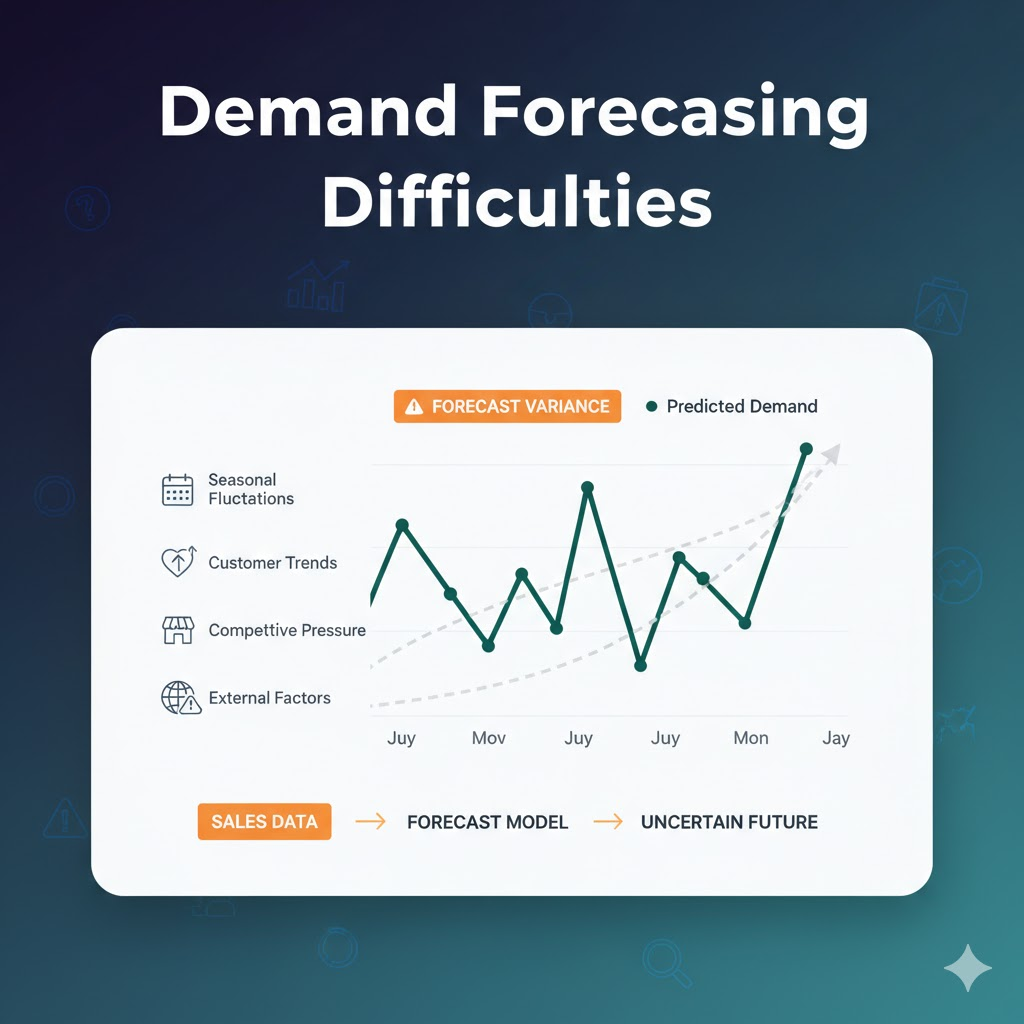
Factors making forecasting difficult:
- New products with no historical sales data
- Rapidly shifting market trends and consumer preferences
- Unpredictable viral moments or influencer mentions
- Marketing campaign impacts that create temporary spikes
- External events (economic changes, weather, global disruptions)
Approaches to improve forecasting:
- Analyze historical sales patterns by product, season, and channel
- Monitor competitor activity and industry trends
- Use AI-powered forecasting tools for pattern recognition
- Build flexibility into inventory plans for unexpected changes
- Review forecast accuracy regularly and adjust methods
Successful forecasting combines multiple approaches: historical sales analysis, seasonal adjustment, trend monitoring, and increasingly, AI-powered prediction tools that identify patterns humans might miss. No forecast is perfect, but better forecasting dramatically reduces both stockouts and overstock situations.
Shopify Built-in Inventory Features
Shopify provides a robust set of native inventory tracking Shopify tools that handle basic to intermediate needs effectively. Understanding these features forms the foundation for any inventory management strategy.
1. Basic Inventory Tracking
At its core, Shopify tracks inventory quantities for each product variant. When orders are placed and paid, quantities automatically decrease. When you receive new stock, you can adjust quantities manually or through bulk imports.
Key native tracking features include automatic inventory deduction that updates stock levels immediately when orders are placed, manual adjustments that allow you to add or subtract inventory with reason codes for audit trails, bulk editing that lets you update multiple products simultaneously through CSV imports, and inventory history that shows changes over time with timestamps and adjustment reasons.
The inventory history feature proves particularly valuable for troubleshooting discrepancies. When recorded inventory doesn’t match physical counts, the history shows exactly when and why changes occurred, helping identify the source of errors.
2. Multi-Location Inventory Management
Shopify supports inventory tracking across multiple locations, essential for stores with warehouses, retail locations, or third-party fulfillment centers. Each location maintains separate stock quantities, and you can configure which locations fulfill online orders.
Multi-location features enable location-specific quantities so you can track exact stock at each warehouse or store, fulfillment priority settings that determine which locations fulfill orders first based on proximity or stock levels, transfer tracking that records inventory movements between locations, and location-based reporting that analyzes performance by warehouse or retail store.
This capability proves particularly valuable as stores scale. Rather than maintaining a single inventory pool, you gain visibility into exactly where products sit and can optimize fulfillment for faster delivery and lower shipping costs.
3. Low Stock Alerts
Preventing stockouts requires proactive monitoring. Shopify allows you to set inventory thresholds that trigger alerts when stock falls below specified levels. These warnings provide lead time to reorder before products become unavailable.
Configuring effective low stock alerts involves setting appropriate thresholds that account for lead times, sales velocity, and safety stock needs. Fast-moving products need higher thresholds than slow sellers. Consider your supplier’s reliability and typical lead time variations when setting alert points.
4. Bulk Editing and CSV Imports
For stores with large catalogs, manual one-by-one updates aren’t practical. Shopify’s bulk editing capabilities allow mass inventory updates through CSV file imports. This feature is essential for initial inventory setup, periodic reconciliation after physical counts, and large-scale adjustments.
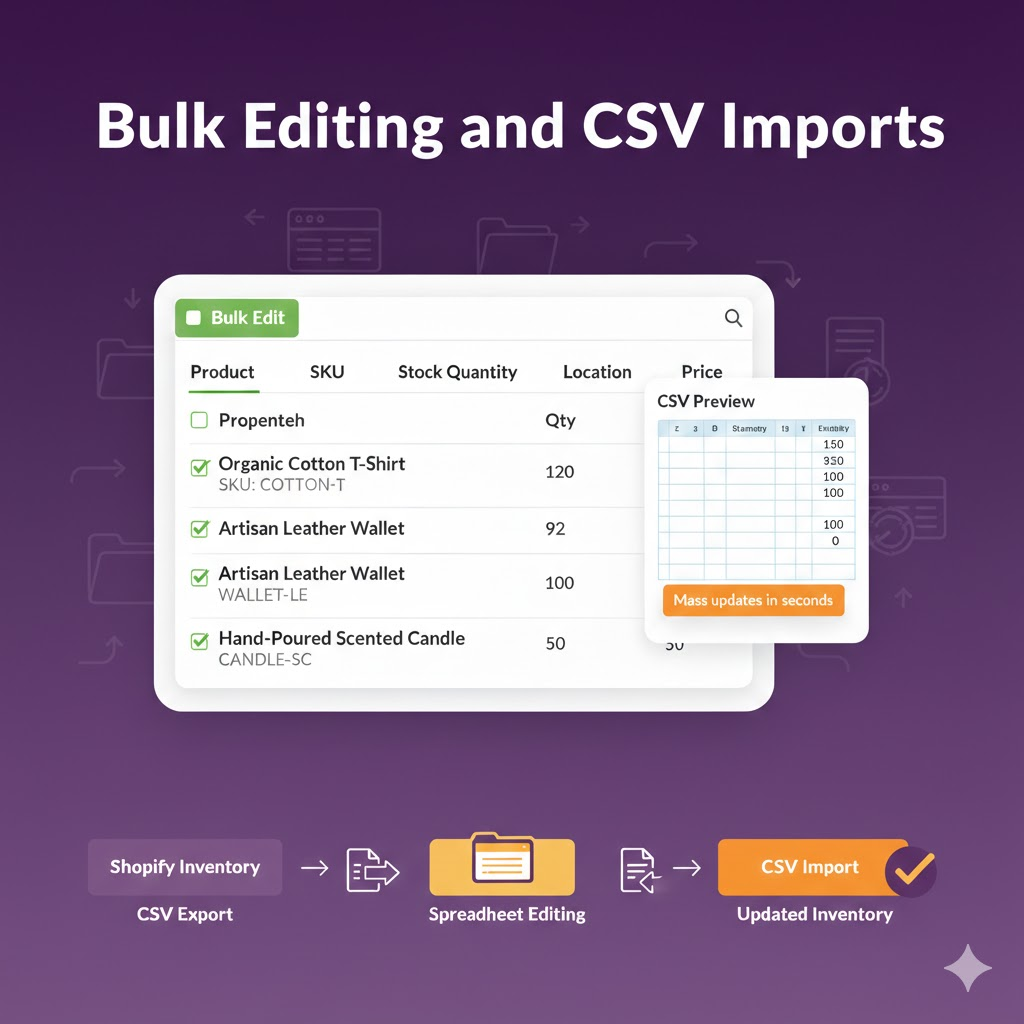
The export/import functionality also enables integration with external systems. Export your Shopify inventory to spreadsheets for analysis, make changes, and import updated data back into Shopify.
5. Limitations of Native Shopify Features
While Shopify’s built-in tools handle basic stock management well, they have limitations that growing stores often encounter. Native features lack advanced demand forecasting that predicts when you’ll need to reorder based on sales trends. Multi-channel synchronization with Amazon, eBay, and other marketplaces requires third-party apps. Detailed inventory analytics beyond basic reports need additional tools. Automated purchase order generation isn’t available natively.
For stores seeking deeper analytics on inventory performance, our Shopify Reports Builder provides custom report creation with inventory-specific metrics and visualizations that go far beyond Shopify’s native capabilities.
Essential Inventory Metrics to Track
Data-driven Shopify inventory management requires tracking the right metrics. These key performance indicators reveal how efficiently your inventory works for your business and where improvements are needed.
1. Inventory Turnover Rate
Inventory turnover measures how quickly you sell and replace stock over a period. Higher turnover generally indicates efficient stock management, though optimal rates vary by industry and business model. This metric directly reflects how well your purchasing aligns with actual demand.
- High turnover signals: Strong sales, but may indicate understocking risk
- Formula: Cost of Goods Sold ÷ Average Inventory Value
- Healthy range for Shopify stores: 4-12 times annually
- Fashion/seasonal retailers: Aim for monthly turnover (12x per year)
- Durable goods stores: Target quarterly cycles (4x per year)
- Low turnover signals: Over-ordering, declining demand, or pricing issues
2. Days of Inventory on Hand
This metric shows how many days your current inventory will last at current sales rates. It provides a practical timeframe for reordering decisions that’s often more intuitive than turnover rate. Understanding DOH helps with cash flow planning and supplier coordination.
- Formula: Average Inventory ÷ Daily Cost of Goods Sold
- Use for: Determining when to place reorders based on supplier lead times
- Example: If DOH is 30 days and lead time is 14 days, you have comfortable buffer
- Warning sign: When DOH approaches or falls below supplier lead time
- Track by product: Fast-movers need different DOH targets than slow-movers
- Seasonal adjustment: Increase DOH before peak selling periods
3. Stock-to-Sales Ratio
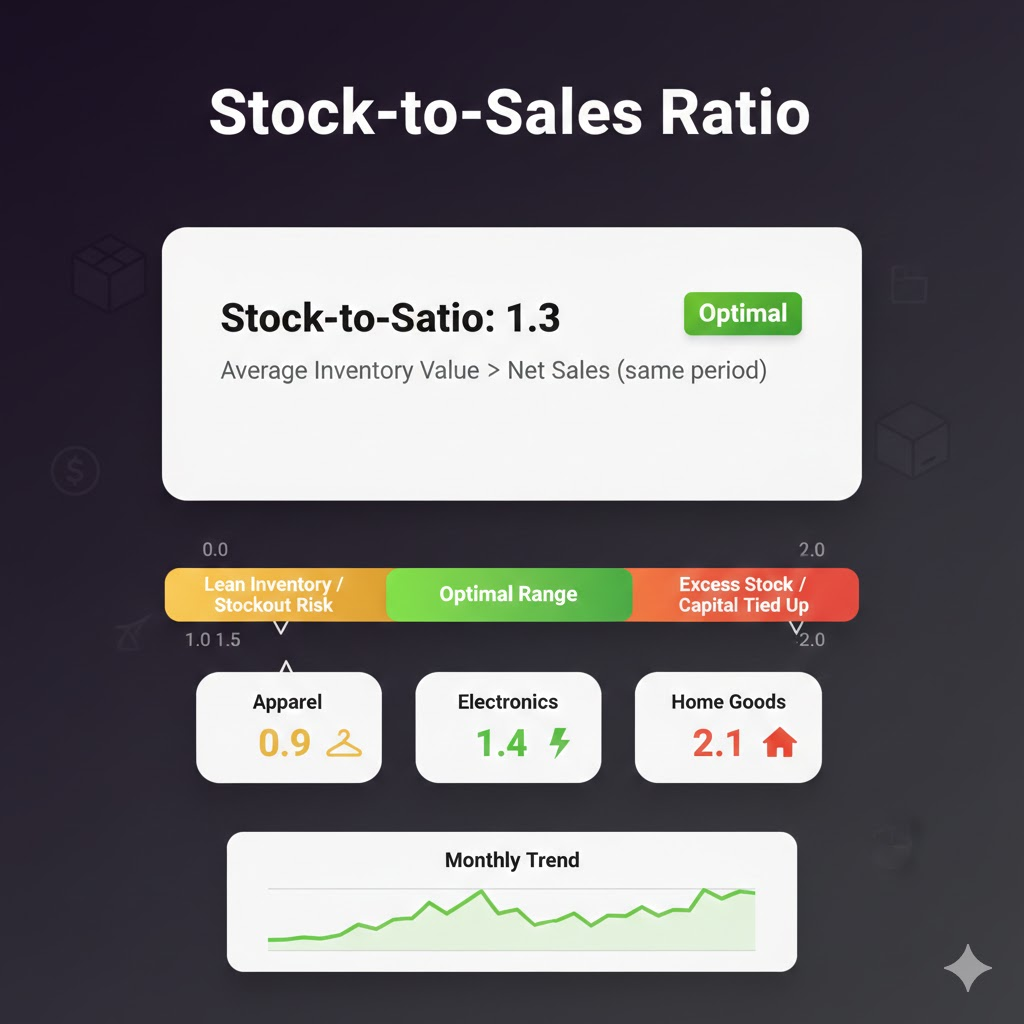
The stock-to-sales ratio compares inventory value to sales revenue, revealing whether you’re holding appropriate stock levels relative to demand. This metric helps balance product availability against the cost of carrying excess inventory.
- Compare by category: Different product types may warrant different ratios
- Formula: Average Inventory Value ÷ Net Sales (same period)
- Optimal range: 1.0 to 1.5 for most Shopify stores
- Below 1.0: Lean inventory, higher stockout risk during demand spikes
- Above 2.0: Excess stock tying up capital unnecessarily
- Track monthly: Identifies seasonal patterns and inventory buildup
4. Stockout Rate
Tracking how often products become unavailable reveals gaps in your inventory tracking Shopify processes. Beyond the rate itself, understanding which products stock out and for how long helps prioritize improvements.
- Monitor by category: Some categories may have higher acceptable stockout rates
- Formula: Number of Stockout Incidents ÷ Total SKU Count × 100
- Target: Keep below 2-3% for healthy operations
- Track duration: How many days each product remains unavailable
- Estimate lost sales: (Average daily sales × Stockout days) × Product margin
- Identify patterns: Products that repeatedly stock out need reorder point adjustments
5. Carrying Costs Percentage
Carrying costs include all expenses associated with holding inventory. Understanding this percentage reveals the true cost of stock and helps justify investments in better inventory management systems.
- Hidden costs: Don’t forget opportunity cost of capital tied up in inventory
- Components: Storage fees, insurance, depreciation, obsolescence, opportunity cost
- Typical range: 20-30% of inventory value annually
- Example: $100,000 average inventory = $20,000-$30,000 annual carrying cost
- Use for: Evaluating bulk purchase decisions vs. carrying cost impact
- Reduction strategies: Faster turnover, better forecasting, smaller order quantities
6. Inventory Accuracy Rate
This metric compares recorded inventory to actual physical counts. High accuracy is essential for reliable order fulfillment, financial reporting, and purchasing decisions.
- Improvement tools: Barcode scanning, clear procedures, staff training
- Formula: Accurate SKU Counts ÷ Total SKUs Counted × 100
- Target: 97% or higher for healthy operations
- Below 95%: Indicates systematic problems requiring immediate attention
- Measurement method: Regular cycle counts across representative SKU samples
- Root cause analysis: Track whether errors occur at receiving, picking, or data entry
7. Sell-Through Rate
Sell-through rate measures the percentage of inventory sold during a specific period compared to the amount received. This metric is particularly valuable for evaluating seasonal products, new launches, and promotional effectiveness.
- Use for: Identifying which products to reorder vs. discontinue
- Formula: Units Sold ÷ Units Received × 100
- High sell-through (80%+): Strong demand, may need to increase orders
- Low sell-through (below 40%): Potential overstock situation developing
- Track weekly: For new product launches and promotional periods
- Track monthly: For established products and seasonal categories
For automated tracking of these metrics and more, explore Shopify Reports Automation to streamline your analytics workflow.
Demand Forecasting for Shopify
Accurate demand forecasting transforms Shopify inventory management from reactive guesswork into proactive planning. By predicting future sales, you can stock appropriately and avoid both stockouts and overstock situations.
- Historical Sales Analysis
Start with your sales history as the foundation for forecasting. Analyze patterns across different timeframes to identify trends, seasonal variations, and growth trajectories that inform future purchasing decisions.
Key historical patterns to identify include year-over-year growth rates that indicate overall business trajectory, month-over-month variations that reveal seasonal patterns, day-of-week patterns showing whether weekends outperform weekdays, and product lifecycle stages indicating whether items are growing, stable, or declining.
Look beyond simple averages. A product selling 100 units monthly on average might actually sell 150 in some months and 50 in others. Understanding this variability is crucial for setting appropriate safety stock levels.
- Seasonal Adjustments
Seasonality affects nearly every retail category. Fashion has obvious seasons, but even seemingly stable categories experience fluctuations around holidays, back-to-school periods, and other events.
Seasonal inventory planning involves building inventory early by ordering seasonal products well before peak demand hits. Set season-specific reorder points with higher thresholds during peak periods. Plan clearance timing with markdown schedules to clear seasonal inventory before it becomes dead stock. Analyze previous years to learn from last year’s seasonal successes and failures.
The key is anticipating seasonal shifts before they happen. By the time you notice increased demand, it may be too late to restock in time to capture the full opportunity.
- Trend Analysis
Beyond predictable seasonal patterns, broader trends affect demand. Consumer preferences evolve. New competitors enter markets. Economic conditions shift purchasing behavior. Social media can create sudden viral demand for products.
Monitor industry publications, competitor activity, and social media conversations related to your product categories. Google Trends provides free data on search interest over time. Review sites and social platforms reveal shifting consumer preferences before they show up in your sales data.
- AI-Powered Demand Prediction
Advanced forecasting leverages artificial intelligence to identify patterns humans might miss. AI tools analyze multiple data sources simultaneously—historical sales, market trends, competitor pricing, weather forecasts, economic indicators—to generate predictions.
AI forecasting benefits for inventory tracking Shopify include improved accuracy over simple historical averages, especially for products with complex demand patterns. Automatic anomaly detection flags unusual patterns that might indicate data errors or genuine demand shifts. Real-time forecast updates incorporate the latest data rather than relying on static projections.
Discover how AI analytics can transform your inventory decisions with our Shopify AI Analytics App that provides smart insights and automated recommendations.
- External Factors to Consider
Demand doesn’t exist in isolation. External factors significantly influence purchasing behavior and should inform your forecasts.
Economic conditions affect consumer spending on discretionary items. Marketing campaigns create temporary demand spikes that don’t represent sustainable baseline. Competitor actions like price cuts or new product launches can shift demand in your category. Supply chain disruptions may affect your ability to meet demand even if you forecast it correctly.
Build flexibility into your inventory plans to accommodate unexpected changes. Relationships with suppliers who can expedite orders when needed provide valuable insurance against forecast errors.
Multi-Channel Inventory Management
Many Shopify sellers expand beyond their own store to sell on Amazon, eBay, Etsy, Walmart Marketplace, and other platforms. While multi-channel selling increases revenue opportunities, it also dramatically complicates Shopify inventory management.
i. Challenges of Selling Across Platforms
The fundamental challenge is maintaining accurate inventory across all channels simultaneously. When a product sells on Amazon, that same inventory must immediately become unavailable on Shopify and every other connected channel. During high-volume periods, even brief synchronization delays can result in overselling.
Each platform has its own inventory management system with different update frequencies, data formats, and capabilities. Some platforms update inventory in near real-time while others batch updates. These differences create opportunities for discrepancies.
Order lifecycle events add complexity. Cancellations must restore inventory across all channels. Partial fulfillments, backorders, and returns each require proper handling to maintain accuracy. One missed update can create cascading problems.
ii. Centralized Inventory Control
The solution is establishing a single source of truth for inventory data. Rather than managing inventory separately on each platform, use a centralized system that pushes updates to all channels.
This approach provides unified visibility so you can see total inventory across all channels in one dashboard. When inventory changes for any reason, all channels update automatically through automated synchronization. You can route orders to optimal fulfillment locations through intelligent order routing based on inventory availability and shipping cost optimization.
Most multi-channel sellers need dedicated inventory management software that integrates with all their sales channels. Native Shopify features aren’t designed for this complexity.
iii. Channel-Specific Strategies
Not all channels are equal. You might prioritize inventory allocation to channels with higher margins, faster-moving customers, or strategic importance.
Buffer stock allocation reserves a portion of inventory for specific channels. If Amazon generates most of your sales volume, you might ensure that channel always has adequate stock even during shortages. Priority settings determine which channels get updated first and receive inventory allocation preference during low-stock situations.
Some sellers maintain separate safety stock for each channel, while others share a common pool. The right approach depends on your channel mix, volume patterns, and risk tolerance.
iv. Integration Best Practices
Successful multi-channel inventory management requires robust integration practices. Choose appropriate sync frequency based on your sales velocity—high-volume sellers need near real-time updates while lower-volume operations might work with hourly syncs.
Implement error handling and alerts to catch synchronization failures before they cause overselling. When errors occur, the system should flag them immediately for manual review rather than silently failing. Regular reconciliation processes compare inventory across all channels to catch discrepancies that slip through automated systems.
For automated reports on multi-channel performance, explore our Shopify Automate Report feature that schedules delivery via email or Slack.
Essential Inventory Reports
Regular inventory reporting transforms raw data into actionable insights. The right reports help identify trends, spot problems early, and guide purchasing decisions for optimized Shopify stock management.
1. Current Stock Levels Report
The most fundamental report shows what you have on hand right now. This includes quantities by product and variant, stock by location for multi-warehouse operations, available versus committed inventory (accounting for orders not yet shipped), and products at or below reorder points.
Review this report daily during peak periods and at least weekly during normal operations.
2. Inventory Valuation Report
Understanding the financial value of your inventory is crucial for business management. This report shows total inventory value using your chosen costing method (FIFO, LIFO, or weighted average), value breakdown by category, location, or other dimensions, and changes in inventory value over time.
Monthly inventory valuation feeds into financial reporting and helps track whether inventory investment is growing appropriately relative to sales.
3. Inventory Aging Report
Aging analysis shows how long products have been in inventory. Products sitting too long risk becoming dead stock. This report categorizes inventory by age brackets (0-30 days, 31-60 days, 61-90 days, 90+ days), highlights products exceeding target holding periods, and calculates value at risk in each aging category.
Use this report to identify slow-moving products before they become serious problems.
4. Turnover by Product Report
While overall inventory turnover provides a high-level view, product-level turnover reveals which specific items move quickly versus slowly. This helps prioritize purchasing decisions, identify candidates for promotion or discontinuation, and optimize warehouse layout by placing fast-movers in accessible locations.
5. Stockout History Report
Tracking past stockouts helps prevent future ones. This report shows products that went to zero inventory, duration of each stockout, estimated lost sales during stockout periods, and patterns such as products that repeatedly stock out.
If the same products appear repeatedly, your reorder points or safety stock levels need adjustment.
6. Reorder Suggestions Report
Automated reorder recommendations combine current inventory, sales velocity, and lead times to suggest when and how much to order. This report identifies products approaching reorder points, calculates suggested order quantities based on demand forecasts, and prioritizes orders by urgency.
For automated report generation and delivery, explore Custom Shopify Reports to build exactly the reports your business needs.
What to Look for in Inventory Software
When Shopify’s native features aren’t enough, third-party inventory management software fills the gaps. Choosing the right tool requires evaluating multiple factors against your specific business needs.
- Real-Time Inventory Synchronization
The most critical feature for multi-channel sellers is real-time sync across all platforms. Updates should propagate within seconds, not minutes or hours. During high-volume periods, even brief delays cause overselling.
Evaluate how the software handles sync failures. Does it alert you immediately? Does it have retry logic? Can it automatically pause selling on affected channels during outages?
- Multi-Channel Support
Ensure the software integrates with all platforms where you sell, current and planned. Check the depth of integration, not just whether a connection exists. Some integrations handle basic inventory updates but struggle with complex scenarios like partial fulfillments or marketplace-specific features.
- Forecasting Capabilities
Advanced inventory software includes demand forecasting that analyzes historical sales patterns, accounts for seasonality, and suggests reorder timing and quantities. AI-powered forecasting increasingly differentiates leading solutions.
- Reporting and Analytics
Beyond basic inventory counts, look for detailed analytics on turnover rates, carrying costs, aging analysis, and performance trends. The ability to create custom reports matching your specific KPIs adds significant value.
- Purchase Order Management
Integrated purchase order creation streamlines the reordering process. Look for automated PO generation when inventory hits reorder points, supplier management with lead time tracking, and receiving workflows that update inventory when shipments arrive.
- Ease of Use
Sophisticated features mean nothing if your team can’t use them effectively. Evaluate the learning curve, interface design, and quality of training resources. The best software balances power with usability.
- Customer Support
When inventory problems occur, you need help fast. Evaluate support response times, available channels (chat, phone, email), and hours of availability. Read reviews specifically mentioning support experiences.
- Cost vs. ROI
Inventory software pricing varies widely, from free basic tools to enterprise solutions costing thousands monthly. Consider total cost including implementation, training, and ongoing fees. More importantly, evaluate potential ROI—software that reduces stockouts by just a few percent or improves turnover can easily pay for itself.
Top 5 Inventory Management Apps for Shopify
Based on features, reliability, user reviews, and value, these five apps stand out for Shopify inventory management.
1. Sumtracker
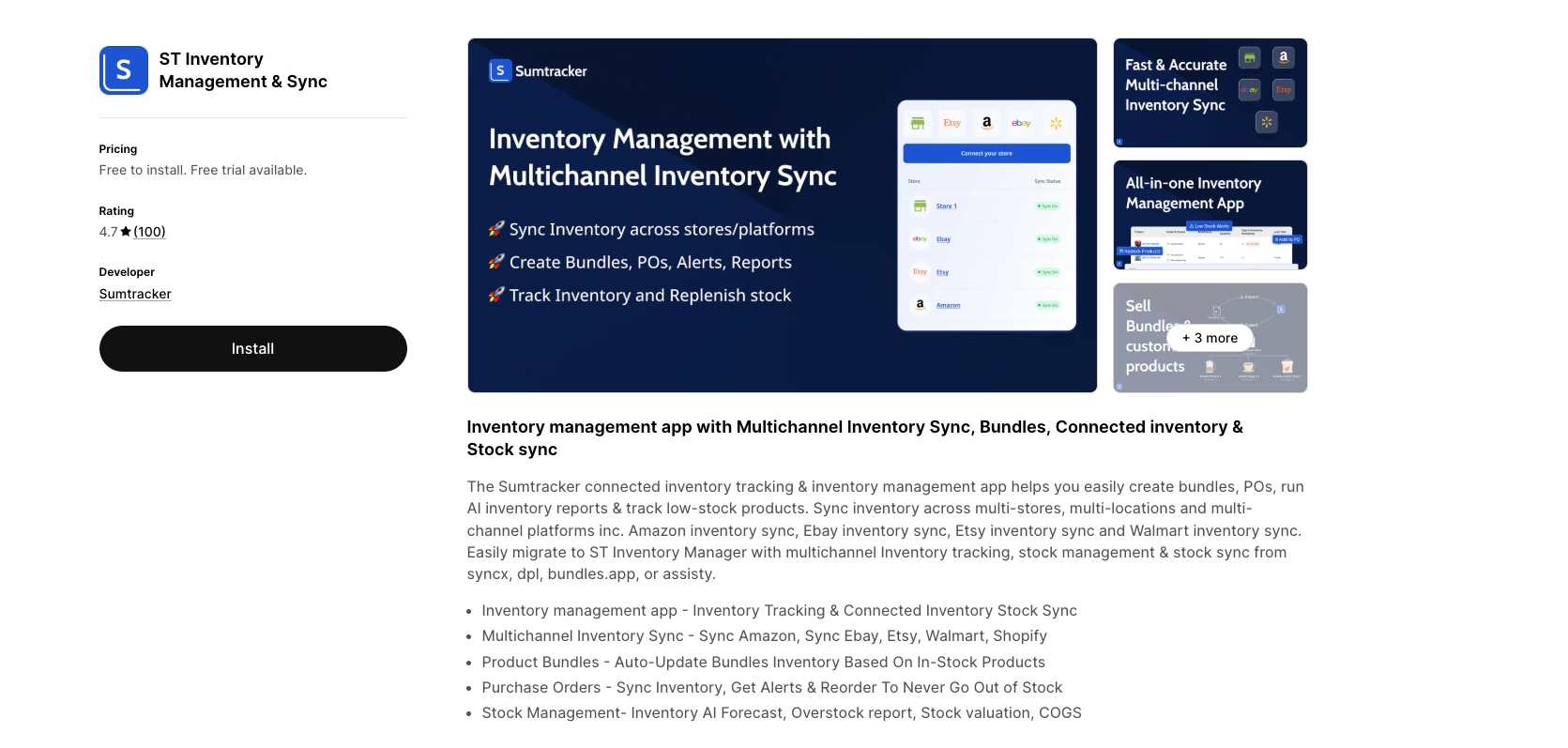
Sumtracker excels at keeping inventory synchronized across Shopify, Amazon, eBay, Etsy, and other platforms. The app provides automated inventory syncing with real-time updates, multi-location inventory management, low-stock alerts and auto-restocking reminders, bulk order and SKU management, and seamless Shopify integration.
Best for: Real-time inventory syncing across multiple channels
Pricing: Plans from $5-$25/month with a free tier available.
Ideal for: Multi-channel sellers needing reliable synchronization without complexity.
2. Katana
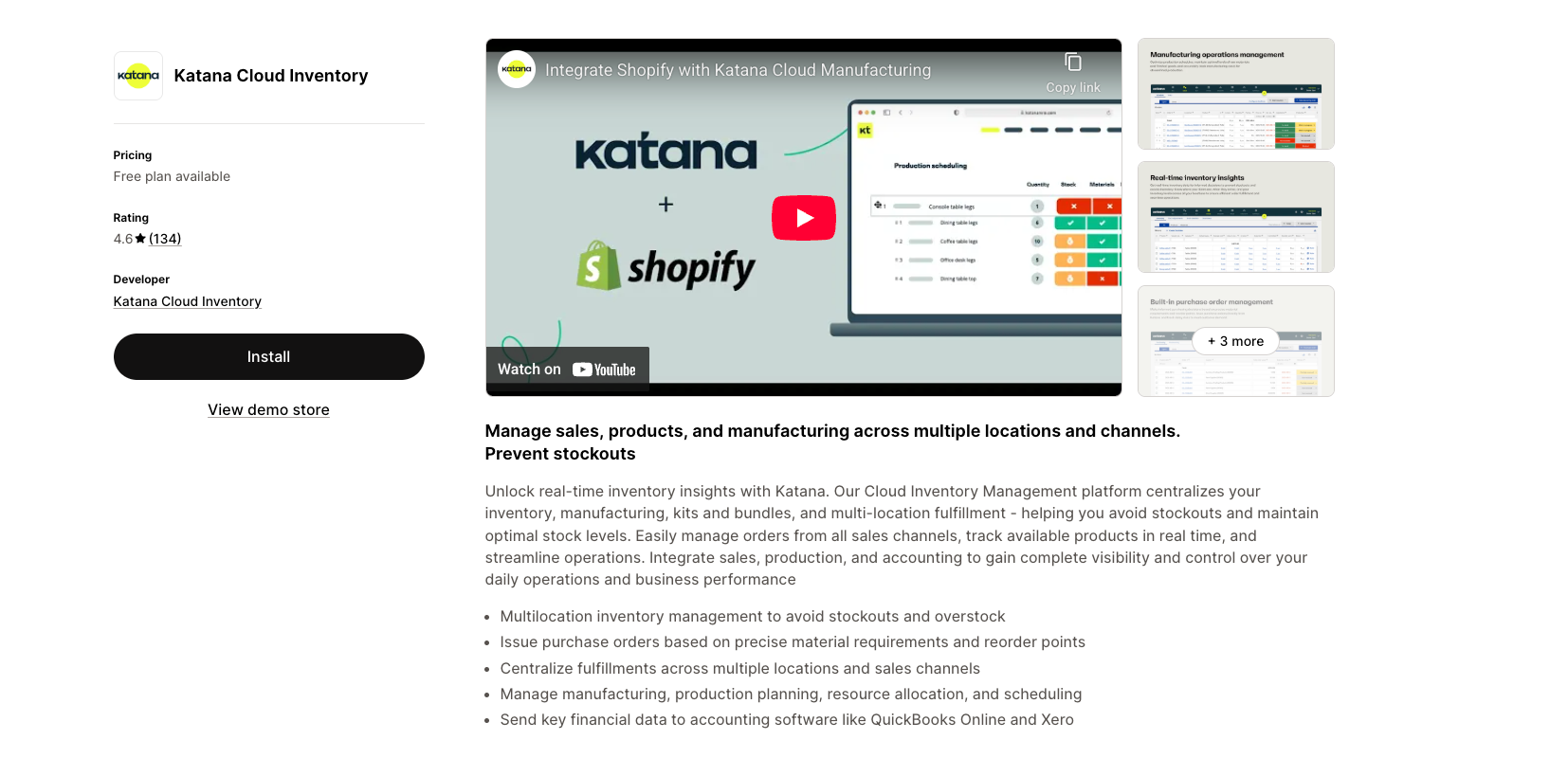
Katana serves Shopify sellers who manufacture their own products. It tracks raw materials, work-in-progress inventory, and finished goods with features including raw materials and finished product tracking, automatic stock adjustments based on production schedules, batch tracking and expiration date management, and integration with Shopify and accounting software.
Best for: Manufacturing and production tracking
Pricing: Plans from $199-$1,999/month.
Ideal for: Product manufacturers needing production planning alongside inventory management.
3. SKULabs
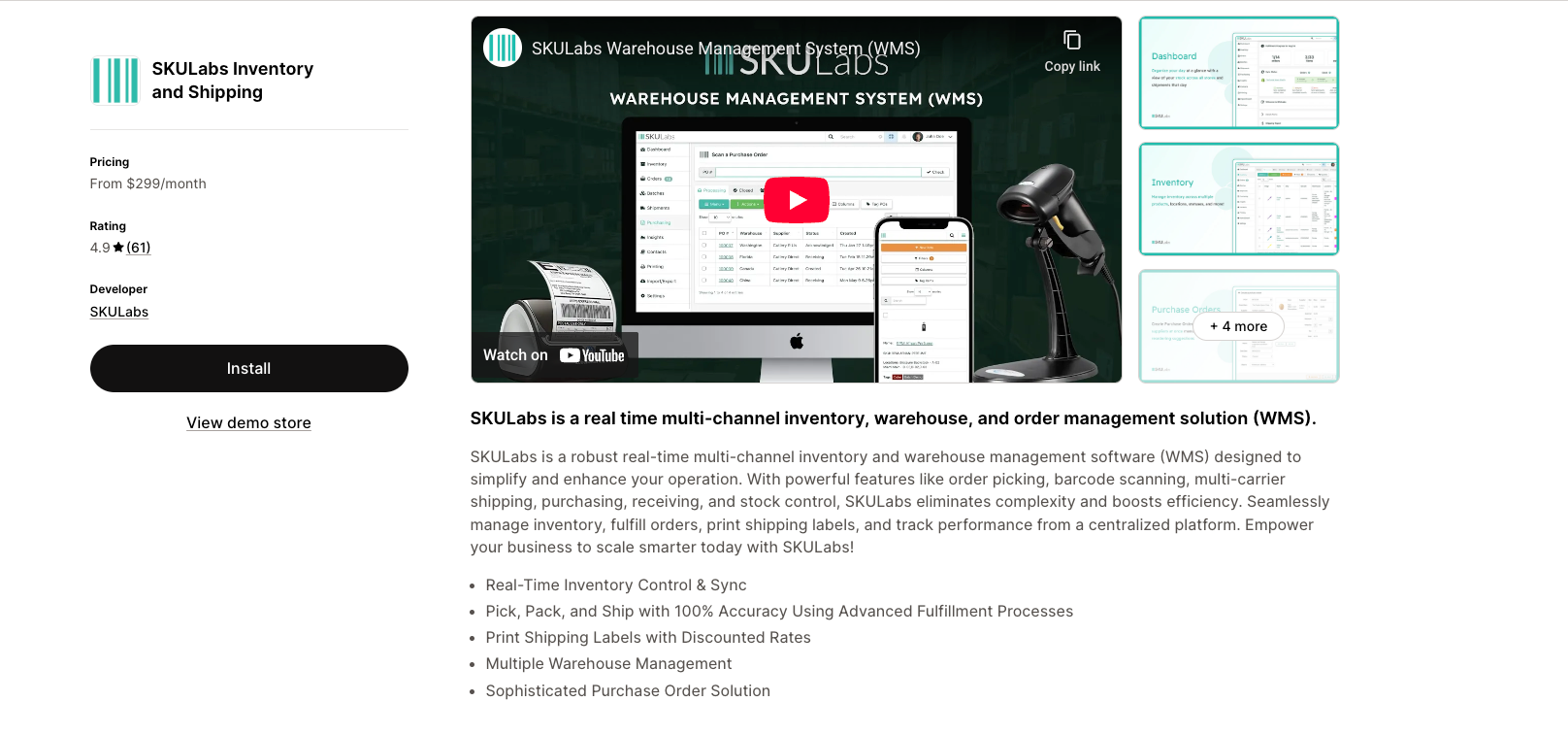
SKULabs provides comprehensive inventory and order management for growing brands. Key features include real-time inventory sync across channels, barcode scanning for accuracy, performance tracking and analytics, and shipping label printing integration.
Best for: Multi-channel inventory and order management
Pricing: Plans from $299-$1,999/month.
Ideal for: High-volume sellers needing robust warehouse management capabilities.
4. Stock Sync
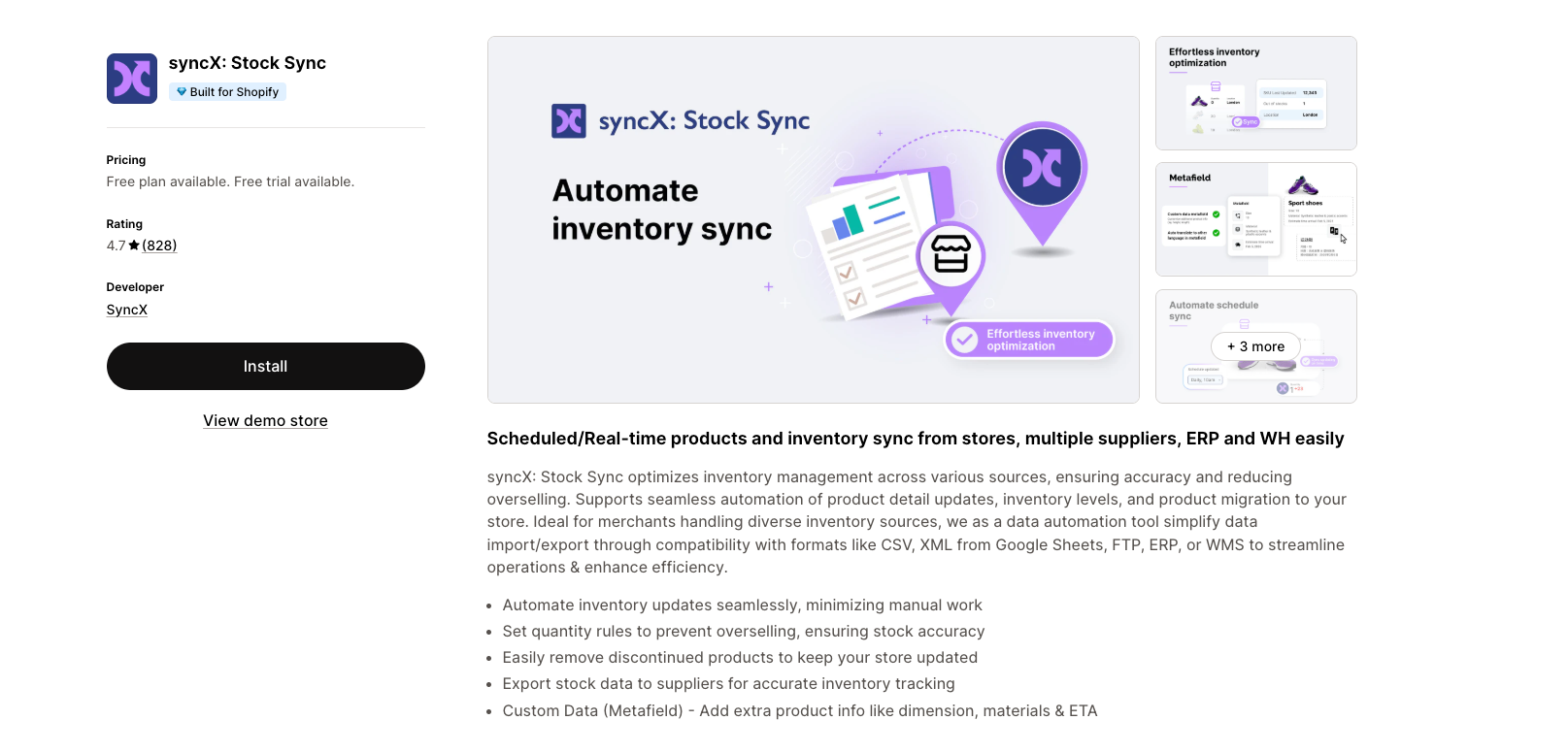
Stock Sync automates inventory updates from suppliers and manages dropshipping operations efficiently. Features include automated stock updates from supplier feeds, low stock alerts, quantity rules and adjustments, and dropshipping-specific functionality.
Best for: Automated inventory updates and dropshipping
Pricing: Plans from $5-$25/month with a free tier available.
Ideal for: Dropshippers and stores needing automated supplier inventory feeds.
5. Reportgenix
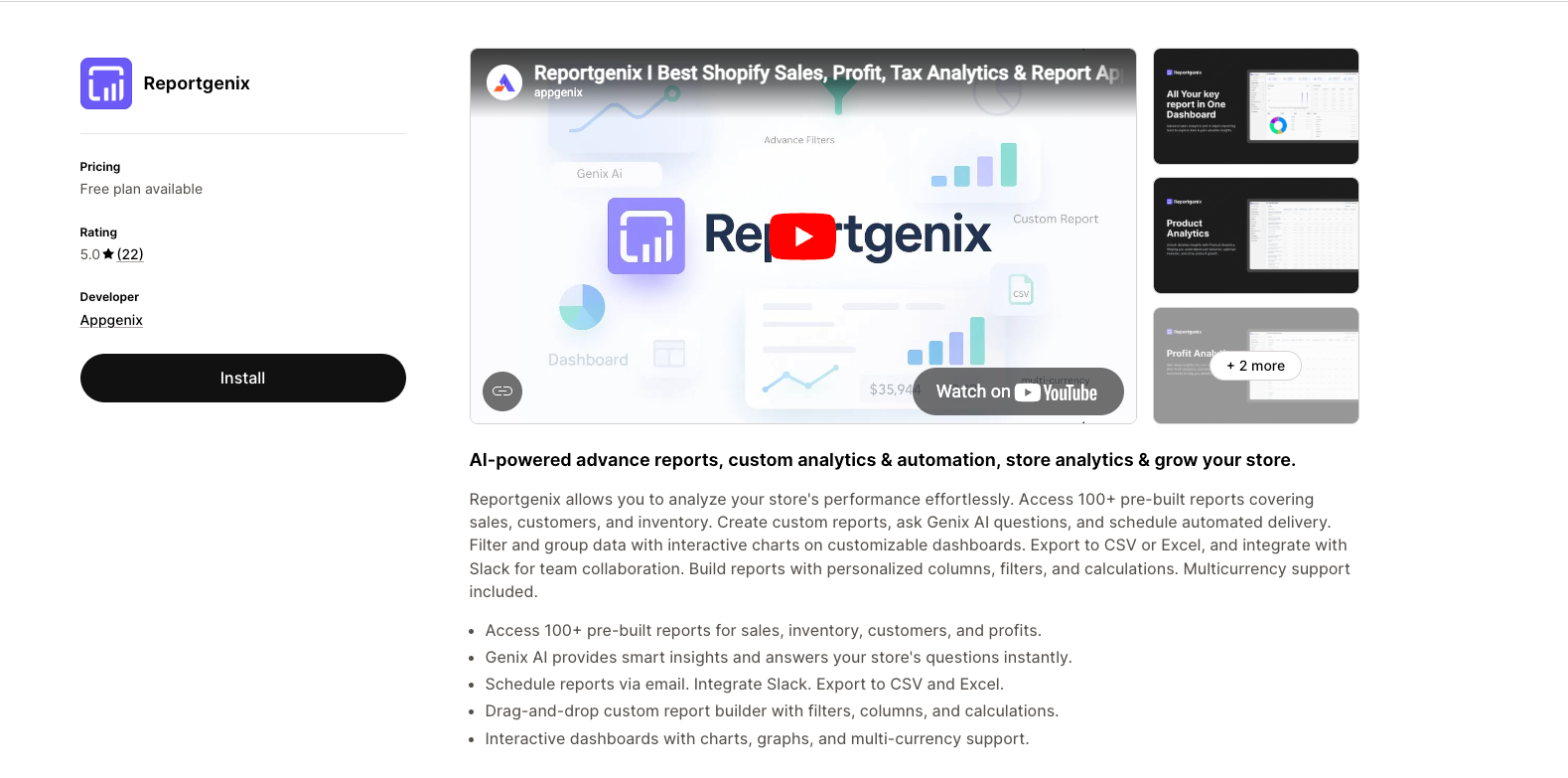
While primarily an analytics platform, Reportgenix provides powerful inventory reporting capabilities that complement operational inventory tools. The app offers 100+ pre-built reports, including detailed inventory analytics, AI-powered insights through Genix AI, automated report scheduling via email and Slack, a custom report builder for specific needs, and multi-currency and multi-location support.
Best for: Inventory analytics and reporting
Pricing: Multiple tiers available with a free trial.
Ideal for: Stores needing deep inventory analytics, forecasting insights, and automated reporting to make data-driven decisions.

Conclusion
Effective Shopify inventory management doesn’t happen overnight. It requires implementing the right systems, establishing consistent processes, and continuously refining based on what the data reveals.
Start by mastering Shopify’s built-in features before adding specialized tools. Focus on tracking the metrics that matter most for your business—whether that’s turnover rate, stockout frequency, or carrying costs. Understand the common challenges so you can prevent problems before they occur.
Develop forecasting capabilities that account for seasonality, trends, and external factors. Build safety stock calculations into your reorder processes to prevent stockouts without creating excessive overstock. For multi-channel sellers, invest in synchronization tools that maintain accuracy across all platforms.
Create reporting routines that deliver insights at the right frequency for decision-making. Daily alerts catch immediate problems. Weekly reviews optimize operations. Monthly analysis guides strategic direction.
Most importantly, treat inventory tracking Shopify as an ongoing discipline rather than a one-time setup. Customer behavior changes. Supply chains shift. New products launch and old ones decline. The most successful stores continuously adapt their inventory strategies based on current conditions.
The merchants who master inventory management gain significant competitive advantages: better customer satisfaction, lower costs, improved cash flow, and the operational foundation to scale. Those who neglect it face constant firefighting, frustrated customers, and growth ceilings they can’t break through.
Frequently Asked Questions
How does Shopify track inventory automatically?
Shopify automatically deducts inventory quantities when orders are placed and paid. The system tracks stock levels for each product variant and updates in real-time as sales occur. You can enable inventory tracking at the variant level, set up multi-location tracking, and configure low stock alerts to receive notifications when quantities fall below specified thresholds. For stores using Shopify POS, in-store and online sales both update the same inventory pool.
What is a good inventory turnover rate for Shopify stores?
Healthy inventory turnover varies by industry but typically ranges from 4-12 times annually for Shopify stores. Fashion and seasonal retailers often aim for monthly turnover (12 times per year), while stores selling durable goods might target quarterly cycles (4 times per year). Compare your turnover to industry benchmarks and track trends over time rather than focusing on absolute numbers. Improving turnover by even one or two turns annually can significantly impact cash flow and profitability.
How can I prevent stockouts on my Shopify store?
Prevent stockouts by maintaining adequate safety stock calculated based on demand variability and lead time uncertainty. Set appropriate reorder points that trigger purchasing before stock runs critically low. Monitor supplier lead times and adjust your planning when delays occur. Implement automated low stock alerts so problems don’t go unnoticed. Use historical sales data and demand forecasting to anticipate needs before they become urgent. Consider diversifying suppliers to reduce dependency on single sources.
Can I manage inventory across multiple locations in Shopify?
Yes, Shopify supports multi-location inventory management. You can track stock quantities at each warehouse, retail store, or fulfillment center separately. Configure which locations fulfill online orders and set priority rules for order routing. The system maintains accurate counts per location and supports transfers between locations with proper tracking. This capability is included in all Shopify plans, though the number of locations varies by plan level.
What is the best way to handle dead stock?
Address dead stock through multiple strategies. Bundle slow-moving items with popular products to increase perceived value and move inventory. Run targeted clearance promotions with progressively deeper discounts. Donate inventory for tax benefits if items have charitable value. Negotiate returns with suppliers where agreements permit. Liquidate through secondary channels like discount marketplaces or liquidation services. Most importantly, implement prevention measures like regular aging analysis, FIFO rotation, and careful demand forecasting to avoid accumulating dead stock in the first place.
How often should I conduct inventory counts?
Implement cycle counting rather than relying solely on annual full physical inventory counts. Count a portion of inventory weekly or monthly, prioritizing high-value and fast-moving products for more frequent verification. Most Shopify stores should target 97% or higher inventory accuracy. Use barcode scanning to speed up counts and reduce errors. Investigate discrepancies immediately to understand root causes and prevent recurring issues. Full physical counts remain valuable annually but shouldn’t be your only accuracy check.

Decode Your Shopify Store's Sales Patterns
Decode Sales Data



Analytics that make sense, profits that make a difference
Join 10,000+ merchants using smarter analytics.